A free tool that makes Roblox run smoother on old & low-end PCs. Pick a preset, hit Boost — more FPS, less lag. No install, no ads, nothing to figure out.
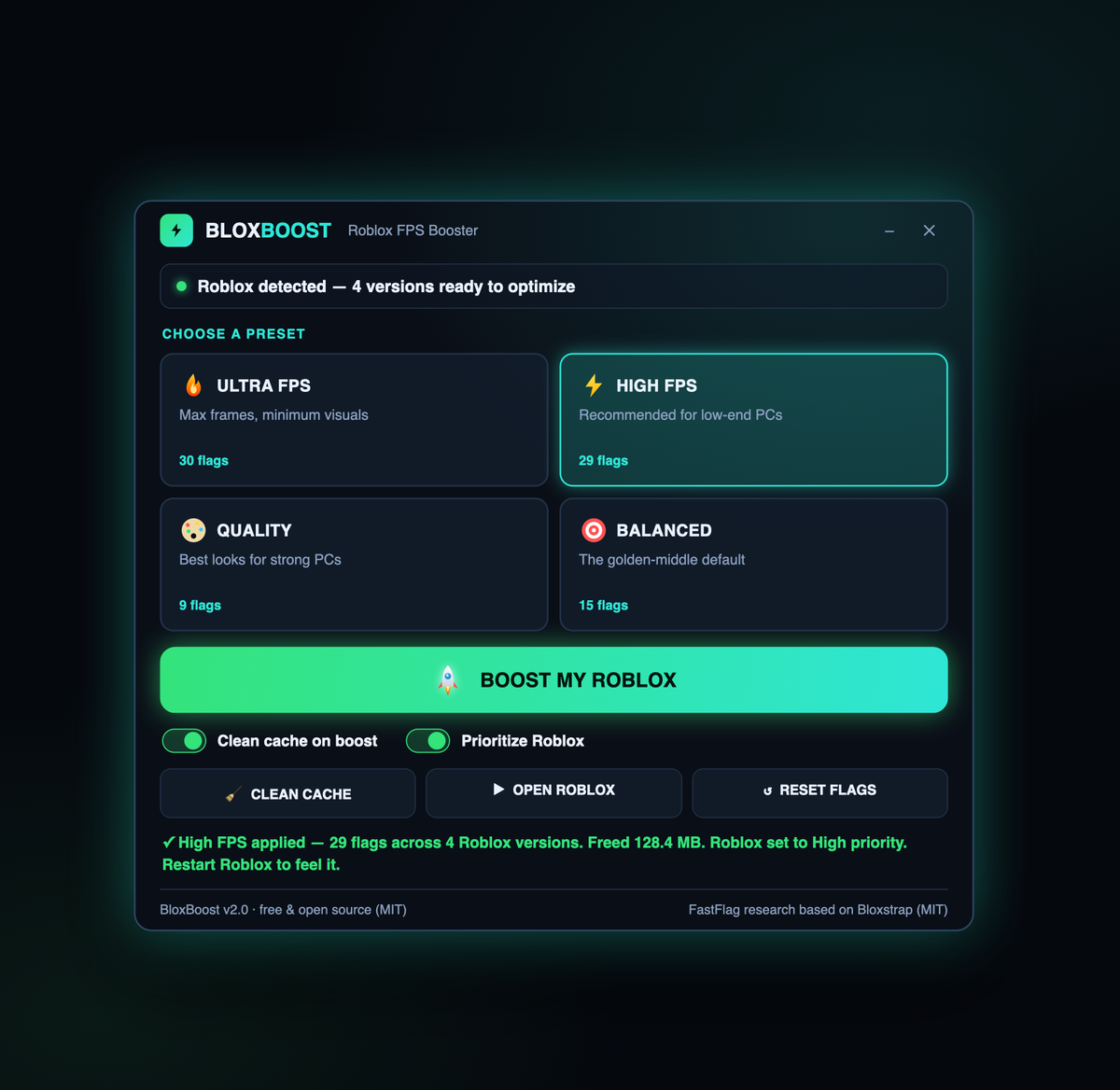
This is the whole app — one small window.
Four presets, zero fuss
Each preset tunes Roblox's hidden performance settings for you. Click one, hit Boost, play. Changed your mind? Reset undoes it instantly.
Every frame you can squeeze. Strips shadows, anti-aliasing and quality for the smoothest potato-PC experience.
The recommended low-end pick — a big FPS jump that still looks like Roblox. The best default for weak PCs.
Keep it pretty. Shadows, lighting and textures stay high — for machines that can already handle it.
The golden middle. Noticeably smoother without giving up all the eye-candy.
Everything in one tiny app
A clean neon dashboard with just the controls that matter — no bloat, no setup.
Applies your preset to every installed Roblox version at once. No editing JSON by hand.
Wipes Roblox logs, temp and cached assets — and tells you exactly how many MB it freed.
Bumps the running game to High priority and all CPU cores for steadier frame pacing.
Open Roblox straight from BloxBoost — your preset is already live on the next join.
Reset removes every flag BloxBoost added and leaves your own settings untouched.
One small .exe. No installer, no dependencies to chase, no registry mess.
Three steps
No account, no config files. Download, unzip, run.
Tap 🔥 Ultra, ⚡ High, 🎨 Quality or 🎯 Balanced — whatever fits your PC.
BloxBoost applies the FastFlags, cleans the cache and prioritizes the game.
Open Roblox and enjoy the extra frames. Reset anytime to go back.
Ready for more frames
Windows 10/11 · ~1–3 MB · no install · open source.